MoleditPy MD System Builder


A MoleditPy plugin that builds periodic systems for molecular dynamics: prepare a protein from a PDB file, set the cell, pack molecules into it, solvate with water and ions, and edit the cell. It needs nothing beyond what MoleditPy already installs (numpy, RDKit, PySide6, PyVista).
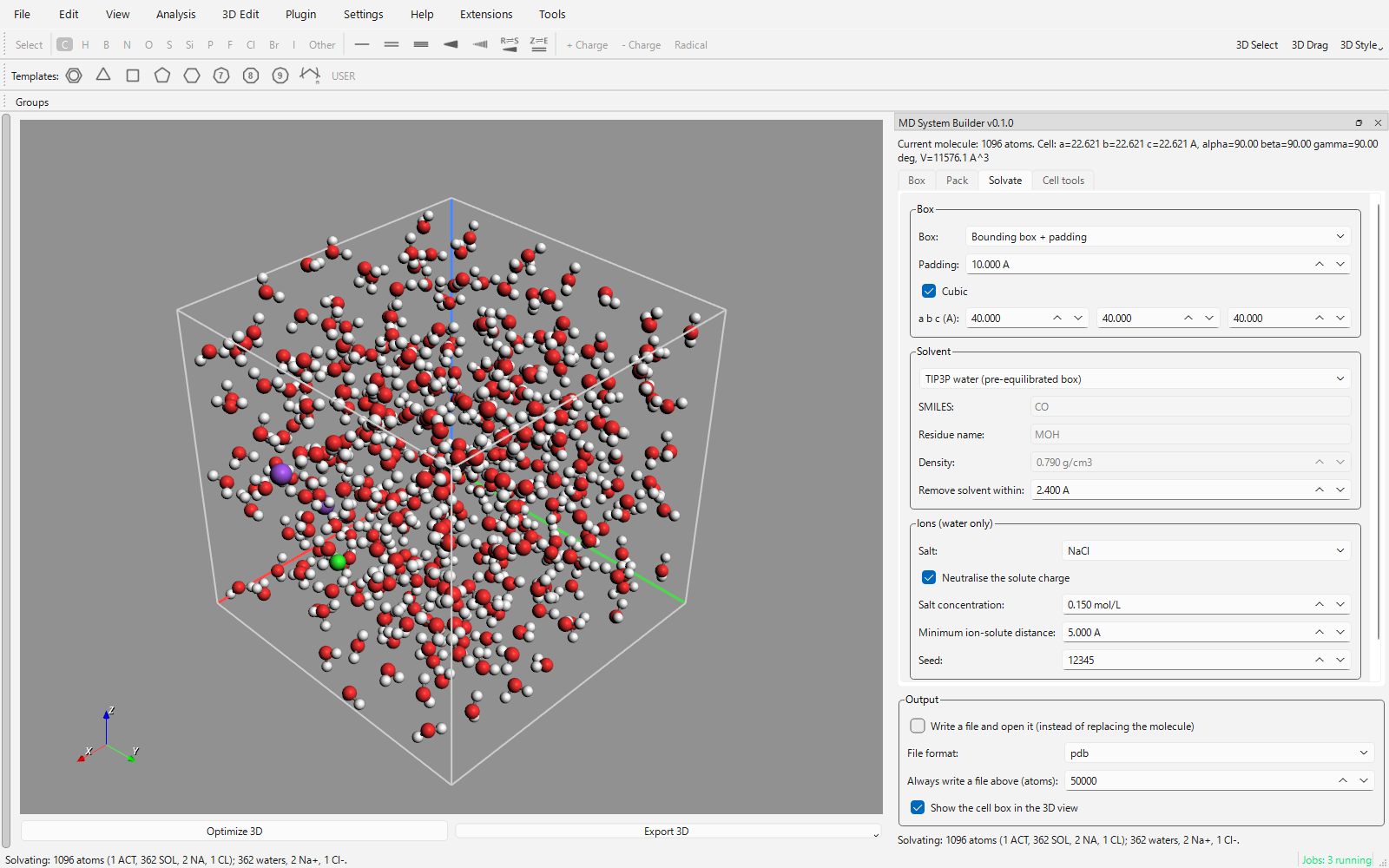
Open it from MD > MD System Builder…. One dock panel holds five tabs, in the order a system is built.
MD calculation prep on MoleditPy
From a drawn molecule to ready-to-run GROMACS, LAMMPS or OpenMM input, inside MoleditPy. MD System Builder is the first of four plugins that do this; each installs from the Plugin Installer and needs nothing beyond MoleditPy itself.
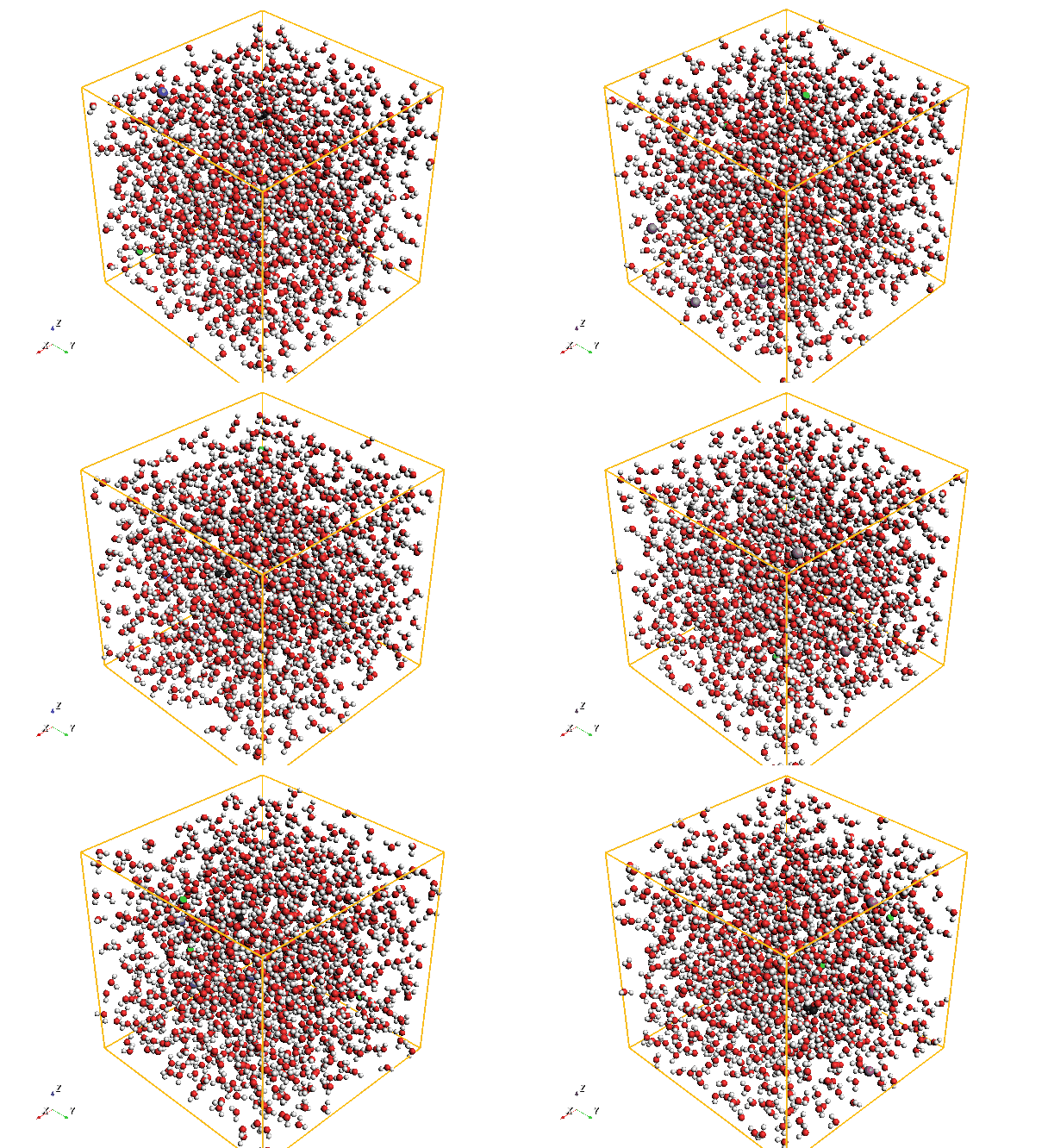
Tutorial with screenshots: acetate in water, from drawing to a GROMACS run, walks through every step below with a real example, including the run and the analysis of the trajectory. Read it on the web page or on GitHub.
  draw or open the solute
           |
  1  MD System Builder           cell, packing, water and ions
           |
  2  Force Field Builder         parameters and charges  ->  system.mdff.json
           |                     (optional: QM charges from ORCA, Gaussian, PySCF, xtb ...)
           |
  3  GROMACS Input Generator     conf.gro, topol.top, .itp, .mdp, run.sh
     LAMMPS Input Generator      data file, in script
     OpenMM Script Generator     run_<name>.py, PDB, ForceField XML

  Large System Viewer            draws every step of it (required)
Plugins to install
Required
| Plugin | Menu | Role |
|---|---|---|
| MD System Builder (this plugin) | MD > MD System Builder… | periodic cell, packing, solvation with ions |
| Large System Viewer | opens by itself for large structures | displays the built system |
| Force Field Builder | MD > Force Field Builder… | force-field parameters and charges (*.mdff.json) |
One per MD engine
| Plugin | Menu | Writes |
|---|---|---|
| GROMACS Input Generator | File > Export > GROMACS Input (.gro/.top/.mdp)… | conf.gro, topol.top and .itp, em/nvt/npt/md.mdp, index.ndx, run.sh / run.bat |
| LAMMPS Input Generator | File > Export > LAMMPS Input (data + in script)… | data file and in.* script |
| OpenMM Script Generator | File > Export > OpenMM Script… | run_<name>.py, PDB with the box, ForceField XML |
Why the Large System Viewer is required. A solvated box reaches thousands to hundreds of thousands of atoms within one click, far more than MoleditPy’s standard 3D styles are built for. The Large System Viewer draws such systems in a fast 3D style (100,000 atoms open in under a second) with the periodic box, so you can see what you built before writing any input. Above 50,000 atoms MD System Builder writes the system to a PDB, GRO or XYZ file and opens it; without the Large System Viewer MoleditPy cannot display that file.
Step by step
- Draw or open the solute and convert it to 3D with explicit hydrogens. For a pure liquid or a mixture, skip this and add the components in the Pack tab (SMILES or files). For a protein, open its PDB file and press Prepare Protein in the Protein tab, which adds the hydrogens, disulfide bonds and missing atoms (see Protein).
- Build the system with MD System Builder:
- Solvate: a box around the solute, TIP3P water, counter-ions to neutralise it and salt to a concentration;
- Pack: mixtures by count or by density, regions, a fixed solute;
- Box and Cell tools: set or edit the cell, supercells, wrapping.
The result replaces the current molecule as one undo step, with the cell and the residue names the next plugins read. Above 2,000 atoms the Large System Viewer offers its fast style; check the box and the solvent there.
- Assign the force field: open Force Field Builder, choose the force field (OpenFF
Sage 2.3.0 by default; GAFF / GAFF2 with acpype and AmberTools; a protein gets Amber
ff14SB by itself), the charge method and the water model, and press Assign Parameters. Every distinct molecule becomes one molecule
type, so 500 waters are a single entry. Check the Warnings tab and save
system.mdff.json.- Ligand charges from QM (optional): compute the ligand alone in ORCA, Gaussian, Q-Chem, Psi4, PySCF or xtb (for example with ORCA Input Generator Pro, Gaussian Input Generator Pro or PySCF Calculator) and load the output with Import Charges…. The charges go to every copy of that molecule in the box; ESP-fitted charges are offered first.
- Write the MD input: open the GROMACS, LAMMPS or OpenMM generator from
File > Export, load
system.mdff.json, set the run options and check the live preview of every file. Save files… writes the input set, ready for the MD engine on your machine or cluster.
The cell travels between the plugins as the moleditpy_cell molecule property
(see below) and the force field as the neutral
moleditpy-mdff JSON, so each step also works on its own.
After the run: open the trajectory (multi-frame PDB, GRO, XYZ or SDF, for example from
gmx trjconv -o traj.gro) to play it in the Large System Viewer, and analyse it with
Trajectory Analysis (Analysis > Trajectory
Analysis…): RDF, MSD and diffusion, RMSD / RMSF, radius of gyration, density profiles.
Protein
Prepares a protein opened from a PDB file for MD with Amber ff14SB, which Force Field Builder applies to it:
- Hydrogens for pH 7: every hydrogen is rebuilt from the residue templates, so a file with hydrogens, with some or with none gives the same result. Lys, Arg, Asp and Glu are charged, and so are the chain ends. Histidines take the state chosen under Histidine (HIE, HID or HIP), unless the file already names them HID / HIE / HIP or has their ring hydrogens; residues named ASH, GLH, LYN or CYM keep that state.
- Chain ends and breaks: residues closer than 2.0 A (C to N) are one chain; a gap starts a new chain with charged ends, and the report lists every break. A missing terminal OXT is added.
- Disulfides: cysteines whose sulfurs are closer than 2.5 A are joined (CYX).
- Missing heavy atoms of a residue are added from the template, fitted on the atoms that are there; the report lists them.
- Alternate locations: only the first copy of a duplicated atom is kept.
- Water and other groups: crystal waters are removed by default; ions, ligands and additives are kept unless Remove other groups is checked. Kept groups need their own hydrogens, and Force Field Builder gives them Sage parameters.
The report under the button gives the residues, chains, added hydrogens and atoms, histidine states, disulfides, breaks, removed groups and the net charge, which Solvate’s counter-ions then neutralise. The result replaces the current molecule as one undo step.
Checked on crambin and protein G (2IGD) with their hydrogens removed: the rebuilt hydrogens lie within 0.03 A (median) of the deposited ones, AmberTools tleap reads the result with no warnings, and Force Field Builder’s topology of it gives the same energies as tleap’s. A solvated lysozyme (27,936 atoms) prepared this way ran through energy minimisation, NVT, NPT and MD in GROMACS.
Only the standard amino acids (and the ACE / NME caps) are prepared; a residue with an unknown atom name, or a chain of a single residue, is reported as an error.
Box
Sets the periodic cell of the current molecule from
- lengths and angles (a, b, c, alpha, beta, gamma; a along x, b in the xy plane),
- three cell vectors,
- the bounding box of the atoms plus a padding (optionally cubic),
- the structure open in the CIF Viewer panel,
or clears it. The atoms can be moved to the centre of the new cell.
Pack
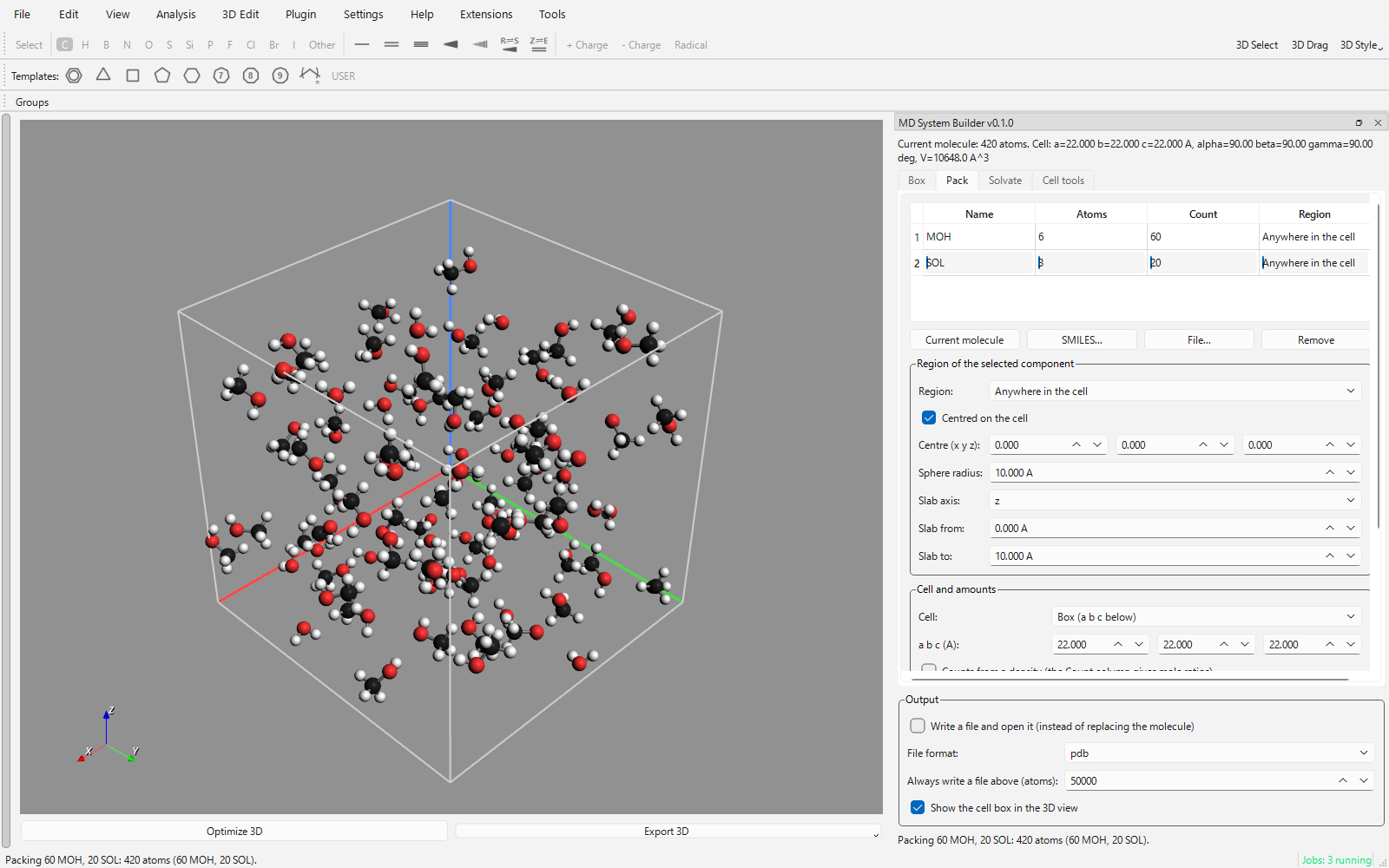
Packmol-like random packing, written in numpy:
- components from the current molecule, a SMILES string (3D-embedded with RDKit and cleaned up with MMFF/UFF) or a MOL/SDF/XYZ/PDB file;
- a count per component, or counts from a target density with the Count column read as mole ratios;
- a minimum distance between molecules (default 2.0 Angstrom), checked across periodic boundaries with a cell list, so the cost per trial does not grow with the box;
- uniformly random orientations and a reproducible seed;
- an optional fixed solute (the current molecule) centred in the box;
- per-component regions: inside or outside a sphere, inside or outside a slab;
- a retry limit: when random insertion fails that many times in a row the job stops and says how many molecules it placed and what to change.
Solvate
- Box from a padding around the solute, explicit lengths, or the existing cell.
- Water from a pre-equilibrated TIP3P box (216 molecules, 0.997 g/cm3) tiled into the
cell, triclinic cells included. Waters whose oxygen falls outside the cell or too close
to another water across a periodic boundary are dropped; tiled boxes come out at
0.97-1.00 g/cm3. The box was generated for this plugin by
tools/generate_water_box.py(rigid TIP3P Monte Carlo, first O-O peak at 2.75 Angstrom); no third-party coordinates are shipped. - Or any molecule (SMILES) at a given density through the packing core.
- Solvent within a cutoff of the solute is removed (default 2.4 Angstrom).
- Ions: Na+/Cl- or K+/Cl- to neutralise the solute’s formal charge and/or reach a salt concentration (pairs = concentration x waters / 55.3). Ions replace randomly chosen waters at least 5 Angstrom from the solute and from each other; the distances are relaxed in steps when a small box has no such waters.
Cell tools
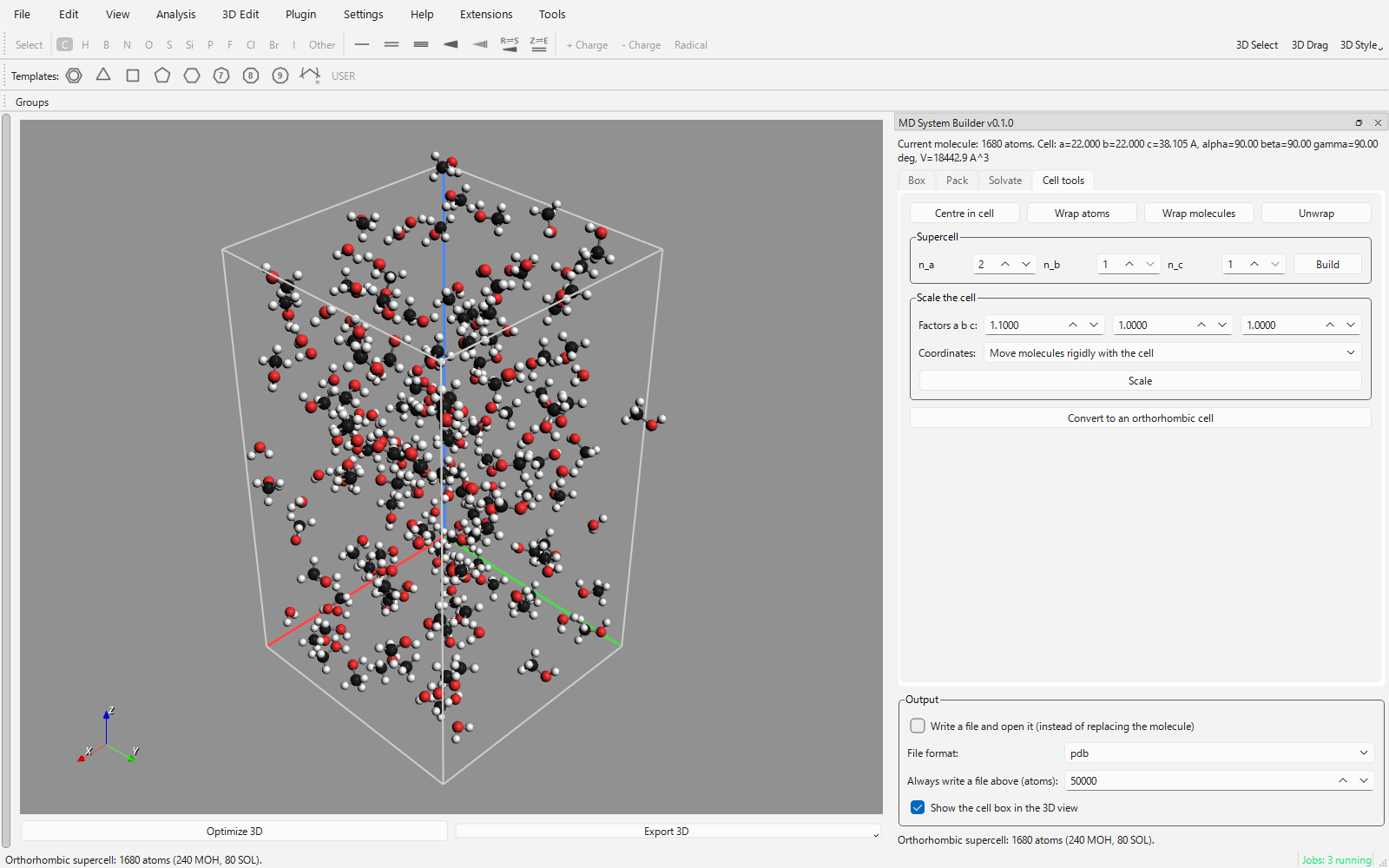
Centre in the cell, wrap atoms (by atom or by molecule), unwrap molecules broken across the boundary (bond-graph walk with the minimum image), supercells n_a x n_b x n_c, scaling the cell (cell only, every atom, or rigid molecules moved with their centres) and conversion to an equivalent orthorhombic cell when one exists (for example hexagonal to a doubled orthorhombic cell). The cell is drawn as a box in the 3D view; the box is redrawn after every host redraw and can be switched off.
Output
Every tab ends in one output path:
- By default the result replaces the current molecule as one undo step. Atoms carry PDB residue information (residue name and number, atom name), so identical molecules can be counted by the input generators.
- With Write a file and open it, or always above a size limit (default 50,000 atoms,
the Large System Viewer’s view-only size), the system is written as PDB (with CRYST1),
GROMACS GRO (triclinic box line included) or extended XYZ (
Lattice=comment), and opened through MoleditPy’s normal File > Open path. With the Large System Viewer installed that plugin takes the file; without it, PDB/GRO files are written but MoleditPy cannot display them, and the panel recommends installing it. Results above 2,000 atoms also suggest it.
Long jobs (packing, solvation, supercells) run in a background thread with a progress bar and a Cancel button.
The moleditpy_cell property
The cell is stored on the RDKit molecule as the string property moleditpy_cell, shared
by the MoleditPy MD plugins (LAMMPS, GROMACS and OpenMM input generators):
{"lattice": [[ax, ay, az], [bx, by, bz], [cx, cy, cz]], "origin": [x, y, z], "pbc": [true, true, true]}
in Angstrom, rows are the cell vectors.
MoleditPy snapshots the molecule with Mol.ToBinary() for undo and project files, and
RDKit’s default pickle options drop molecule properties, so the property alone would not
survive an undo, redo or project reload. The plugin therefore tags each undo state with
its cell and puts the cell back on the molecule after undo/redo, records undo steps for
edits that change only the cell, and saves the cell (with the atom count) in the project
file through its save handler, restoring it when the matching molecule is loaded.
Install
Install from the Plugin Installer, or copy the md_system_builder folder from a release
ZIP into ~/.moleditpy/plugins/. Requires MoleditPy 5.0 or later. Install the
Large System Viewer with it
(see Plugins to install).
Development
git clone --recurse-submodules https://github.com/HiroYokoyama/moleditpy_md_system_builder.git
cd moleditpy_md_system_builder
python scripts/materialize_shared.py   # cell maths from moleditpy-periodic-shared
python -m pytest tests/ -v
cell_model.py, elements.py and cell_preview.py are copied from the pinned
moleditpy-periodic-shared
submodule and are not committed here; edit them in that repository.
License
LGPL-3.0-or-later. See LICENSE, COPYING and LICENSING.md.